How to create Objectives
View your Objectives and Key Results.
Read this Knowledge Base article about writing good OKRs.
Creating OKRs
To create a new OKR, go to the OKRs homepage and choose the Cycle you want to create an OKR within. Press the "Create new OKR" button.
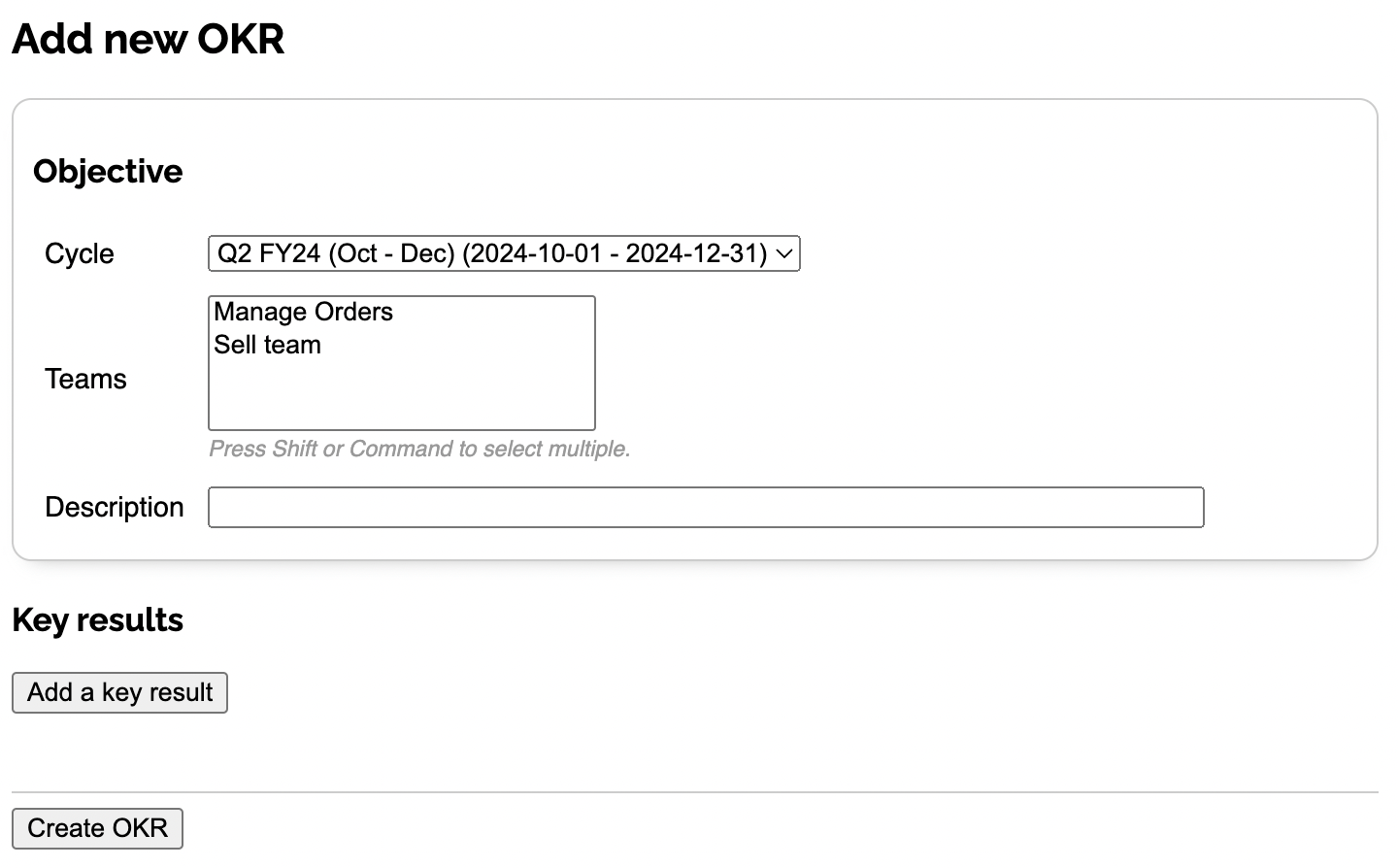
Enter a description of the Objective which should be an aspirational outcome usually qualitatively phrased but could be enhanced with a specific metric or datapoint you're aiming for.
If you want this Objective to align to a parent Objective, choose that from the "Parent Objective" dropdown. This will create a hierarchical relationship between the two Objectives and allow progress from this Objective to contribute to the parent Objective's progress if desired. Learn more about alignment.
Choose a single accountable owner for the Objective. This should be a User in your Workspace who is ultimately responsible for the success of this Objective. Having visible owners shows everyone who to go to if the Objective (or Key Result) is falling behind, or if they have questions. Objectives without owners are flagged in the Reporting view.
Lastly, select which Teams will work on the OKR (optional, can be edited in later).
Next, add your Key Results.
When you're done with your Key Results, press "Create OKR" to save everything.
If you already have OKRs in a spreadsheet or document, you can bring them in automatically using the Import / Migration feature instead of creating them manually.
AI-powered suggestions
OKR Dash includes three AI-powered tools to help you write better OKRs. Each is accessible from the OKR creation screen and indicated by a purple sparkle icon.
OKR Suggestions
If you're not sure where to start, press the "Need inspiration?" button at the top of the creation screen. This opens a text area where you can describe your situation, goals, or what your team is working on. Press "Go" to generate three complete OKR suggestions, each with an Objective and a set of Key Results.
The AI automatically uses context from your Workspace - your Teams, their descriptions, and OKRs from the previous Cycle including progress - to make suggestions that complement your existing work rather than duplicating it. Each suggestion includes a rationale explaining why the OKR was chosen and how the Key Results work together.
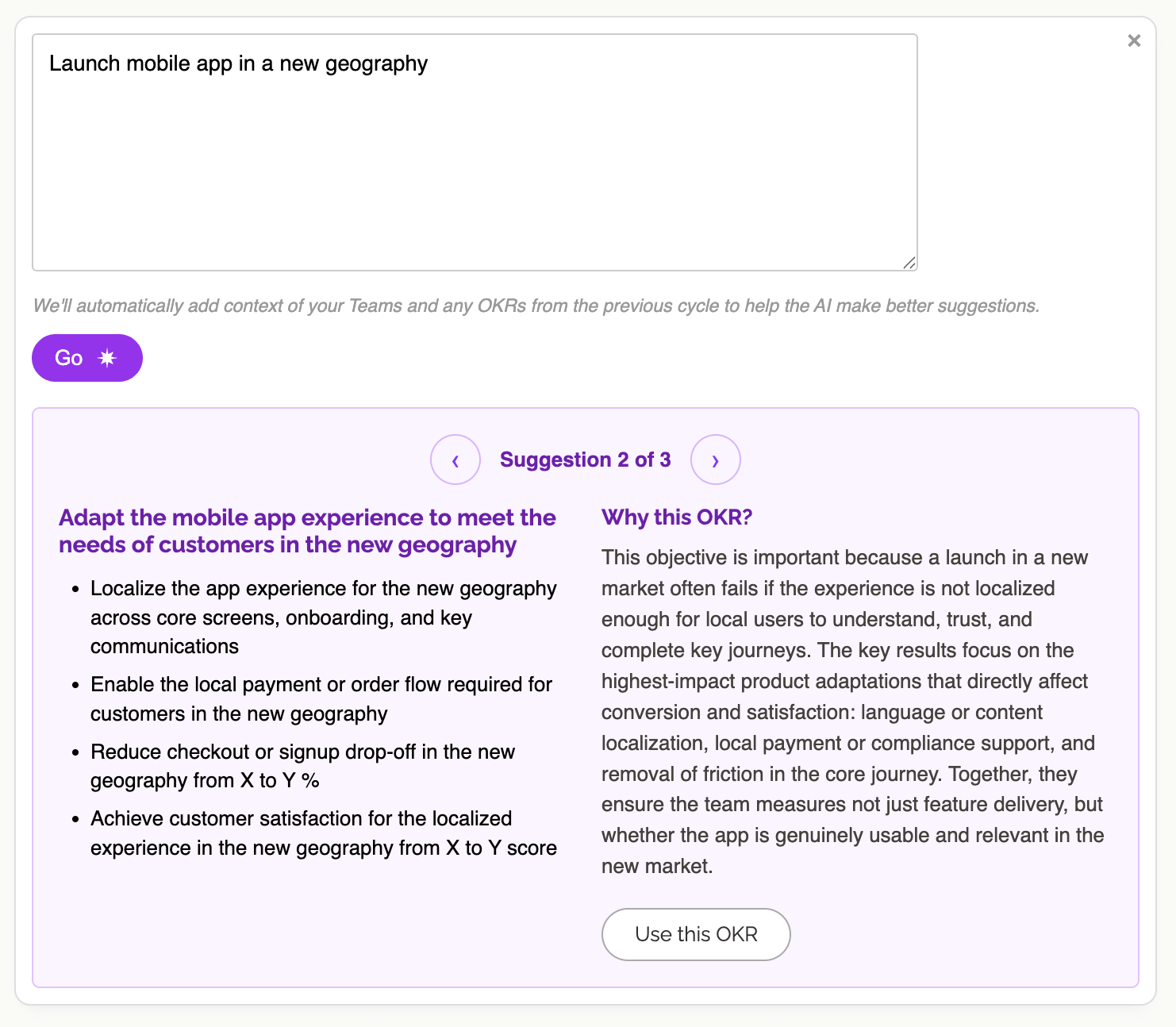
Press "Use this OKR" to populate the form with that suggestion, then adjust as needed.
Objective Suggestions
Once you've typed a draft Objective, press the purple sparkle button to the right of the input (or press Ctrl+Enter) to get three alternative phrasings. The AI analyses your wording against OKR best practice - checking whether it's aspirational, qualitative, and free of metrics that belong in Key Results - and suggests improved versions.
Each suggestion has a brief rationale explaining how it improves on the original. Press the arrow button next to any suggestion to use it.
Key Result Suggestions
When adding a Key Result, type your draft text and press the purple sparkle button to the right of the input (or press Ctrl+Enter) to get three improved alternatives. The AI uses the Objective you've entered as context, so suggestions are relevant to what you're trying to achieve.
It checks for common issues like vague language, missing metrics, or activity-oriented phrasing, and suggests Key Results with proper types (numeric, delivery, or milestone) and placeholder targets. Each suggestion includes a rationale. Press the arrow button to add it as a Key Result.
Editing OKRs
You can edit OKRs at any time. Editing an OKR is about reconfiguring the parameters of the OKR - description, Cycle, KRs etc. This is different to updating the progress, called a "Check in": learn more updating Key Results to record progress.
To edit an OKR, go to the OKRs list and click on "Edit" on the side of the OKR you wish to change.
The edit screen is much like the screen for creating OKRs, and allows you to change all aspects of the OKR's definition.
Changing the type of any Key Results may change the current value of that Key Result. For example if you've got a Delivery Key Result with dates in, and you change it to a Milestone Key Result that is a binary flag, the dates will be wiped from the Key Result, although the history of any updates to the current value is unaffected by this change.