How To Run Leadership OKR Reviews
Many companies adopt OKRs with the hope that leadership will have clear visibility into progress and be able to steer the organisation more effectively.
But when you actually sit in most OKR leadership reviews, something feels off.
Slides get presented.
Updates get summarised.
People say things are “on track”.
And then the meeting ends.
No real decisions.
No course correction.
No deeper understanding of what is actually happening.
This is one of the most common failure modes in OKR implementations. Leadership reviews turn into status theatre instead of decision-making forums.
If you want OKRs to shape company direction, leadership reviews have to operate very differently. They need to be grounded in live data, shared visibility, and structured decision making.
This article explains how to run OKR progress reviews that actually drive decisions, and how a good OKR system makes this much easier.
Why Most OKR Reviews Fail
The problem is how the information flows to leadership.
Typical review process:
- Teams prepare slides or summaries
- Progress is compressed into short updates
- Leadership reviews the presentation - often seeing it for the first time as it's being presented
This introduces several problems.
First, leadership does not see the real data.
Instead they see filtered summaries. Teams naturally simplify things when preparing slides. Nuance disappears, risks get softened, and sometimes the most interesting signals never make it into the presentation.
Second, the review becomes performative.
When updates are presented as a polished narrative, the meeting subtly shifts from learning to defending progress.
People start thinking:
- How will this look?
- Does this make our team look behind?
- How do we explain this metric?
Instead of focusing on learning and adjustment.
Third, decisions get delayed.
Because the underlying data isn’t visible, leadership often needs follow-up questions, separate meetings, or additional reports.
By the time a real decision is made, the signal is already old.
This is why many companies feel like they have OKRs but still lack real visibility.
The fix is changing how leadership reviews operate.
Status Reviews vs Decision Reviews
There are two fundamentally different ways to run an OKR executive meeting.
Status reviews
The goal is reporting.
Teams present progress.
Leadership listens.
Sometimes questions are asked.
But the underlying structure is informational.
This approach is common but rarely impactful.
Decision reviews
The goal is steering.
Leadership looks directly at the live OKR data, asks questions about movement, and makes adjustments when needed.
This might include:
- removing blockers
- shifting resources
- adjusting scope
- escalating dependencies
- deciding to double down on promising work
The key difference is simple.
Status reviews describe what happened.
Decision reviews influence what happens next.
To run decision reviews effectively, leadership needs real-time visibility into OKR progress.
This is where a good OKR platform makes a huge difference.
Step 1: Start With "Always-On" Data
Leadership should never begin an OKR review by opening slides.
Instead, start by having a live dashboard showing the most important objectives across the organisation, which can be reviewed regularly ahead of the review meeting.
A well-designed OKR dashboard gives leadership an immediate overview of progress. Weekly snapshot reporting ensures the data is current and structured for decision-making.
For example:
- company-level OKRs
- major team objectives
- high-risk or high-impact initiatives
- key metrics trending toward targets
This removes the filtering layer entirely.
Everyone in the room sees the same information.
In OKR Dash, leadership teams typically create Custom Dashboards specifically for this purpose.
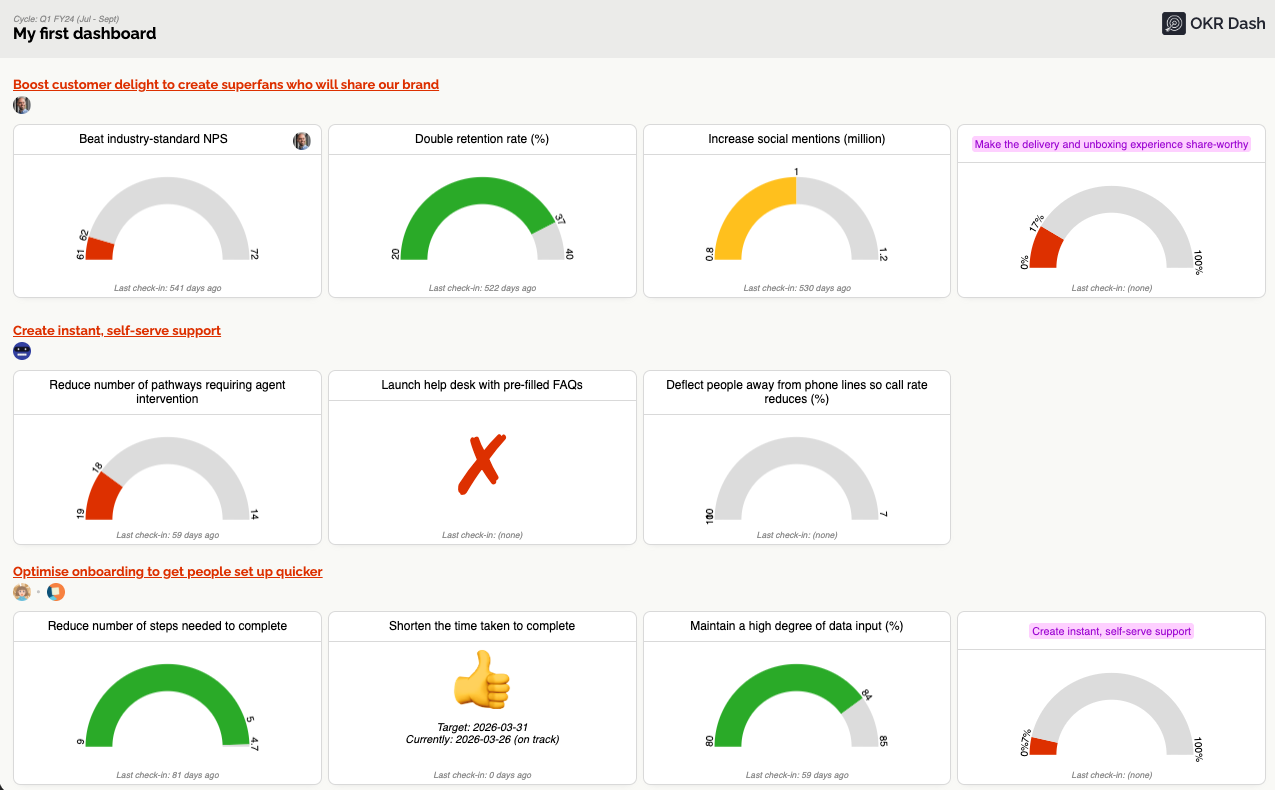
A dashboard might show:
- the company OKRs for the quarter
- the objectives owned by leadership teams
- strategic initiatives that need close monitoring
Because dashboards are configurable, leadership can choose exactly which OKRs appear.
Another practical advantage is visibility outside the meeting.
Dashboards can be displayed on large screens in offices, shared publicly with teams, or checked daily.
When everyone actually looks at OKR progress regularly, behaviour changes across the organisation.
People know the data is visible.
Updates become clearer, more factual, and more useful.
Step 2: A Simple Live View for the Weekly Meeting
Once the dashboard provides a high-level overview, the weekly OKR review should focus on structured discussion.
This is where tools designed specifically for OKR reviews help a lot by massively reducing the effort needed.
In OKR Dash, teams use Presentation View to run these meetings.
Presentation View simply displays the selected OKRs in a clean, large format designed for meetings, with all the relevant information to hand: latest updates, KR targets, trend graphs, owners, etc.
This removes clutter and allows the room to focus on a single objective at a time.
A typical flow looks like this:
- Start with the leadership dashboard
- Move through each key objective one by one
- Review the latest progress updates
- Discuss risks or blockers
- Decide whether intervention is required
Because the meeting uses live OKR data, the conversation stays grounded in reality.
There are no slides to prepare. No summaries to rewrite. No translation layer between the real work and the leadership conversation.
This has a subtle but important effect: progress updates become evidence-based.
Instead of: “Things are mostly on track.”
The discussion becomes: “Conversion moved from 2.8% to 3.1% for the test cohort this week after the onboarding flow improvement was shipped.”
Over time this creates a culture where OKR progress tracking becomes normal operational behaviour, not just quarterly reporting.
A Simple 30 Minute Weekly OKR Review Agenda
Leadership OKR reviews do not need to be long.
In fact, shorter reviews often work better because they force focus.
Minimise the number of people who attend. Only people who are contributing, either by sharing information or making decisions. If they don't speak, they don't get to attend. Nobody should be attending "for awareness". Small meetings are faster and more effective.
Usually the most senior person in the room will chair the meeting. But expect the team leaders to do most of the talking for their OKRs. Over time, set an expectation that they will already have options for next steps prepared and ready to discuss.
A simple structure for a 30 minute OKR executive meeting might look like this.
Minutes 0–5: Dashboard overview
Open the leadership dashboard. Look at overall progress.
Identify any objectives that appear off-track or uncertain. The reason for this: spend most of your time discussing those. If an OKR is on-track and doing well, the celebration can be done async.
If there are some which are obviously in need of attention, start there.
If everything looks OK (and sometimes it will be!), ask the room if anyone has anything urgent that needs attention which isn't obvious from the dashboard.
Minutes 5–25: Review key objectives
Move through each important OKR. For each one ask two questions:
- Are we trending toward the target?
Avoid long explanations. The latest updates on each of the KRs should provide this info.
If the answer is yes, move on to the next OKR.
If the answer is no, then ask:
- What do we (team + leadership) need to do to get back on track?
This is the bulk of the meeting. Make it clear to the team owning the OKR that they should already have some options they can present, and a preferred route forward. But the aim is to either:
- Provide additional capacity (people, time, money etc)
- Unblock dependencies (make a prioritisation decision and cascade it)
- Agree to drop the KR or whole Objective (it's OK to do this sometimes!)
- Agree to change the scope or pivot to something else
- Agree to wait another week
Point 4 includes changing the OKR wording and metrics and targets, if you've learned that what you started with is not right.
Point 5 is ... well, use it sparingly. Make decisions quickly. Don't go more than 2 weeks without choose another option.
Minutes 25–30: Capture decisions
Before closing the meeting, summarise any decisions made.
This final step is important. Without decisions, the review turns back into status reporting. Assign a single owner to each decision to follow it through.
Why the Right OKR Tool Matters
Running decision-oriented OKR reviews becomes much easier when the underlying system supports it.
A good OKR management software should make three things easy.
First, shared visibility
Leadership should be able to see progress without relying on summaries or slides, or digging through complex spreadsheets or out-of-date analytics tools.
Dashboards and real-time updates are essential.
Second, simple progress tracking
Teams should be able to update OKRs quickly.
If the process is complicated, updates become infrequent and visibility fades.
Third, structured reviews
The tool should support the rhythm of leadership meetings.
Presentation modes, dashboards, and objective drill-down views make this natural.
This is exactly what OKR Dash was designed for.
It acts as a lightweight OKR tracking software that keeps progress visible without adding reporting overhead.
Leadership teams use it to:
- create custom OKR dashboards for strategy visibility
- run weekly OKR executive meetings using Presentation View
- investigate objectives through the OKR Profile Page
The result is a system where OKRs stay active throughout the quarter instead of becoming “set and forget”.
Bringing OKR Reviews Back to Decision Making
The real purpose of OKRs is not writing goals.
It is helping organisations steer toward outcomes.
Leadership reviews are where that steering happens.
When reviews rely on slides and filtered summaries, the signal becomes weak.
When reviews use live OKR data, the conversation becomes clearer.
Leaders can see progress, identify risks early, and make decisions while there is still time to influence the outcome.
That is the difference between status theatre and real leadership visibility.
If your OKR reviews currently feel slow, unclear, or overly performative, the structure described here is a good place to start.
Use a shared OKR dashboard.
Run short weekly reviews.
Look directly at the data.
Drill into objectives when needed.
Capture decisions.
The improvement in clarity is usually immediate.
Try OKR Dash
If you want leadership OKR reviews that are based on real visibility instead of status reporting, the right tool helps enormously.
OKR Dash is an OKR management tool built specifically to support this way of working. The Reporting view gives you a single real-time picture of how your cycle is running, and helps you spot stalled OKRs early.
The result is an OKR process where leadership always knows where the organisation is trending and what decisions are needed next.
If you want OKRs to actually shape company direction rather than becoming quarterly paperwork, give OKR Dash a try.
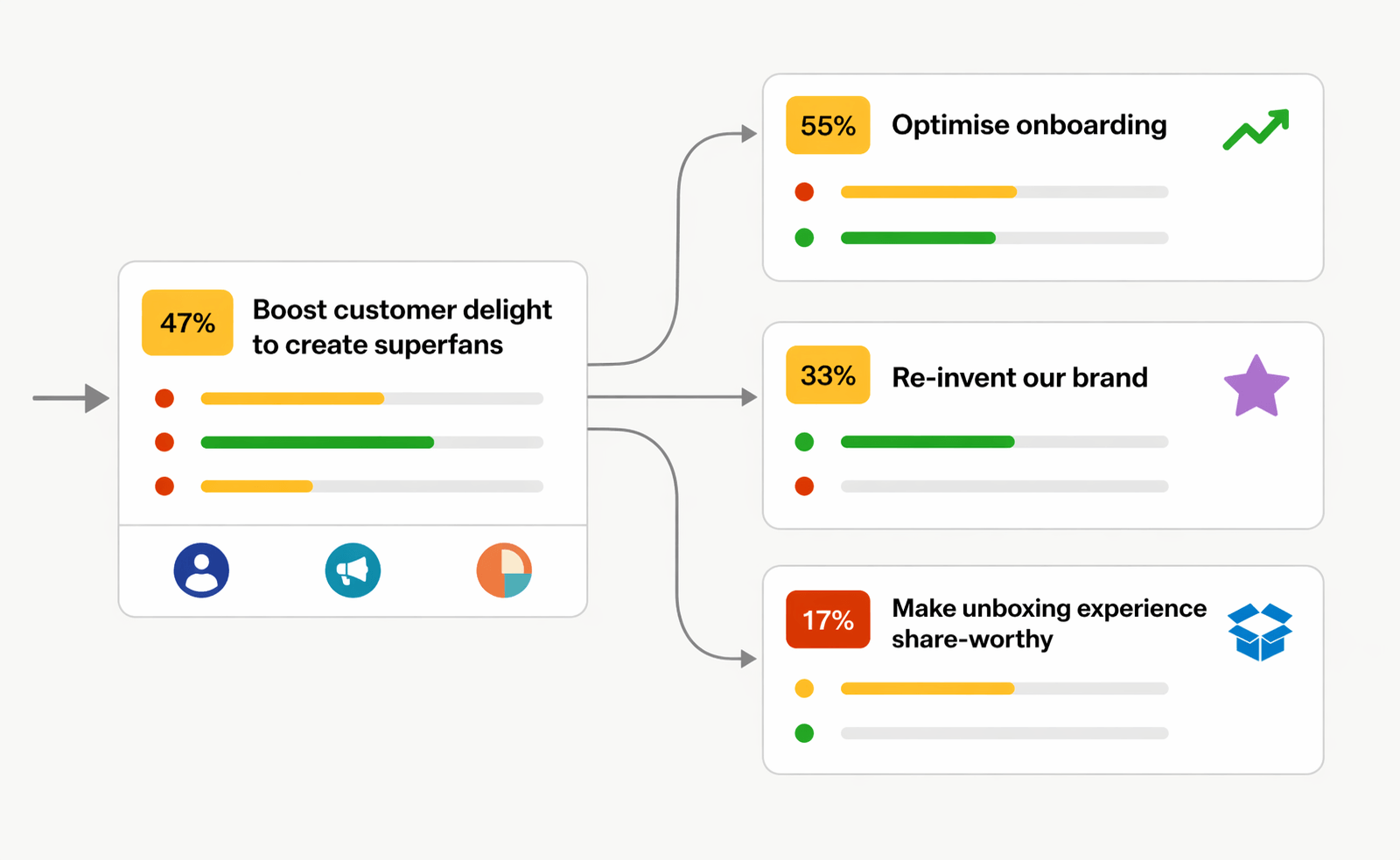
OKRs done right.
OKR Dash is a powerful tool for managing your OKRs.
No more siloed spreadsheets or manual tracking. One place to align teams and drive outcomes.